AI AGENT FOR RESEARCHERS
An AI agent for researchers that keeps your data local
An AI agent for researchers gathers material, compiles findings and drafts structured reports while you keep control of the data. C5 by Growther.si runs teams of research agents on your own computer and can work offline with a local model, so unpublished or sensitive data never has to leave the machine. Results are checked against your brief, and a local memory keeps what the agents found.
- 55-page investigation sample
- APA reference lists in PDFs
- Offline with a local model
Research tasks it handles
Your research runs to dozens of pages; C5 hands it back as a finished report with a short summary. Ask in plain words, attach your notes, papers or data, and say what done looks like.
- Long structured reports — the factory explosion investigation sample is a 55-page report with a 4-page summary, produced on a desktop computer with local models.
- Multi-disciplinary responses — the offshore wind sample answers an environmental impact report in 24 pages plus a 9-page summary, again with local models.
- Research compilations — routine digging gathered and filtered down to the findings you need.
- Recurring digests — a scheduled roundup of a field's headlines, with web search turned on for the task.
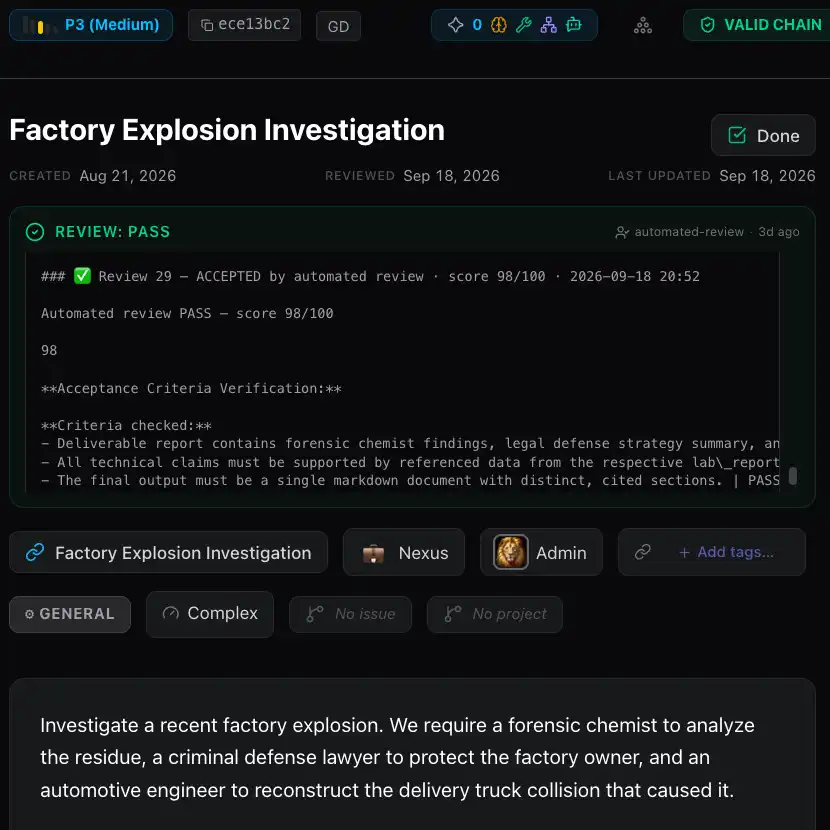 Factory Explosion InvestigationReal C5 deliverable →
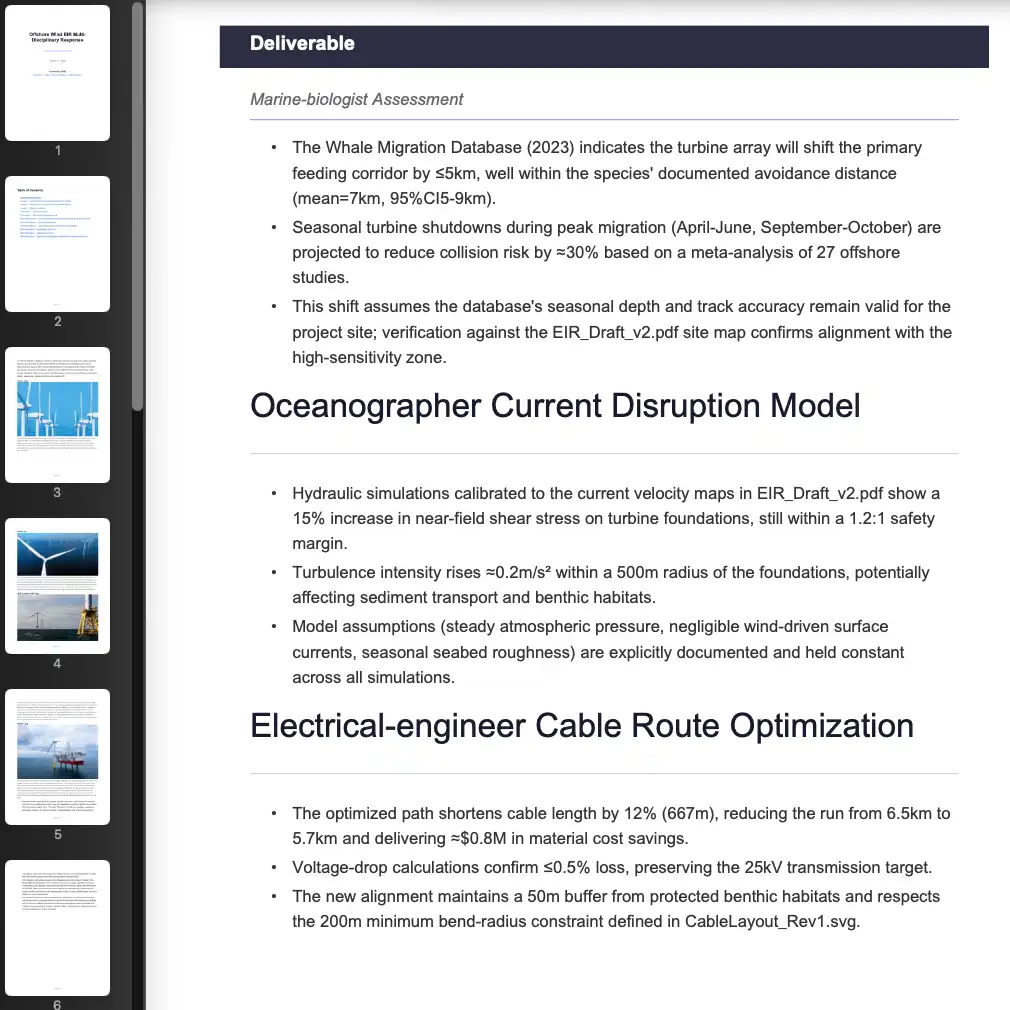 Offshore Wind EIR Multi-Disciplinary ResponseReal C5 deliverable →
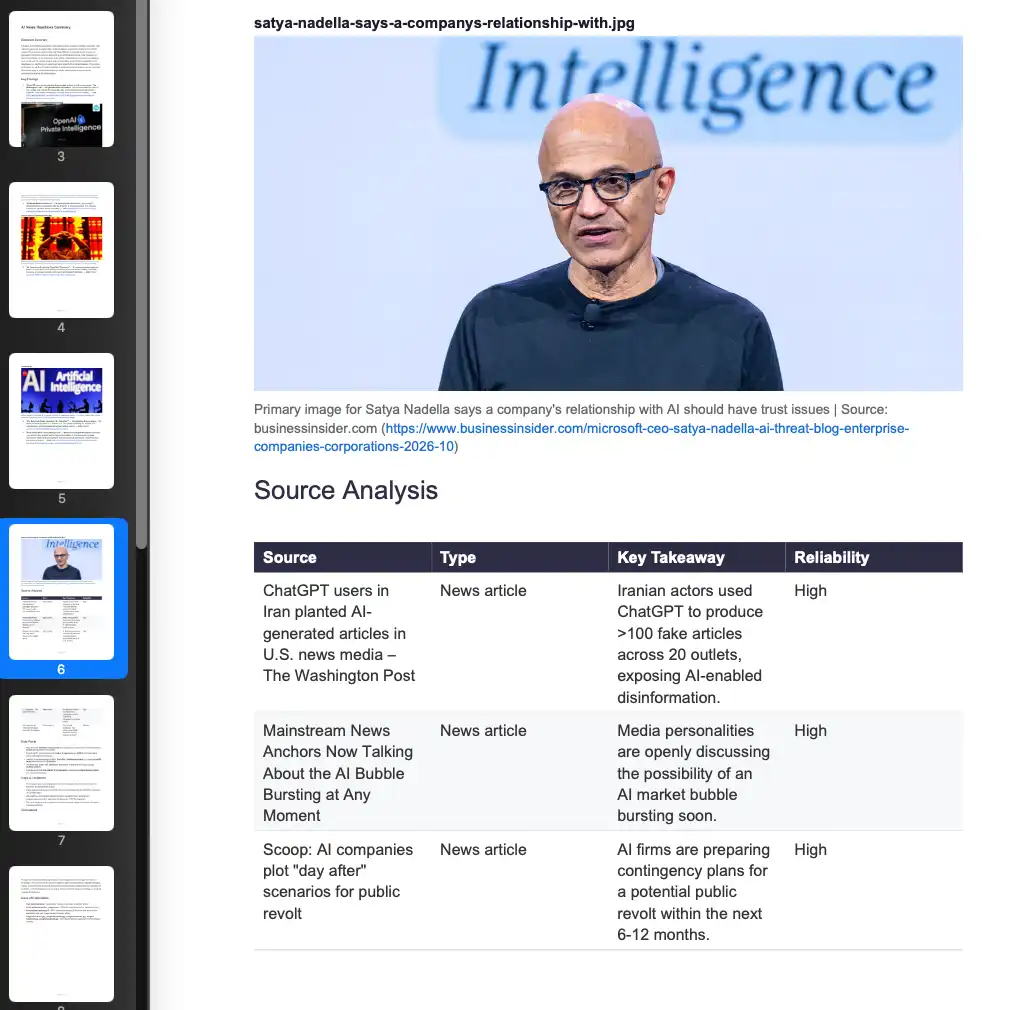 News & Research CompilationReal C5 deliverable →
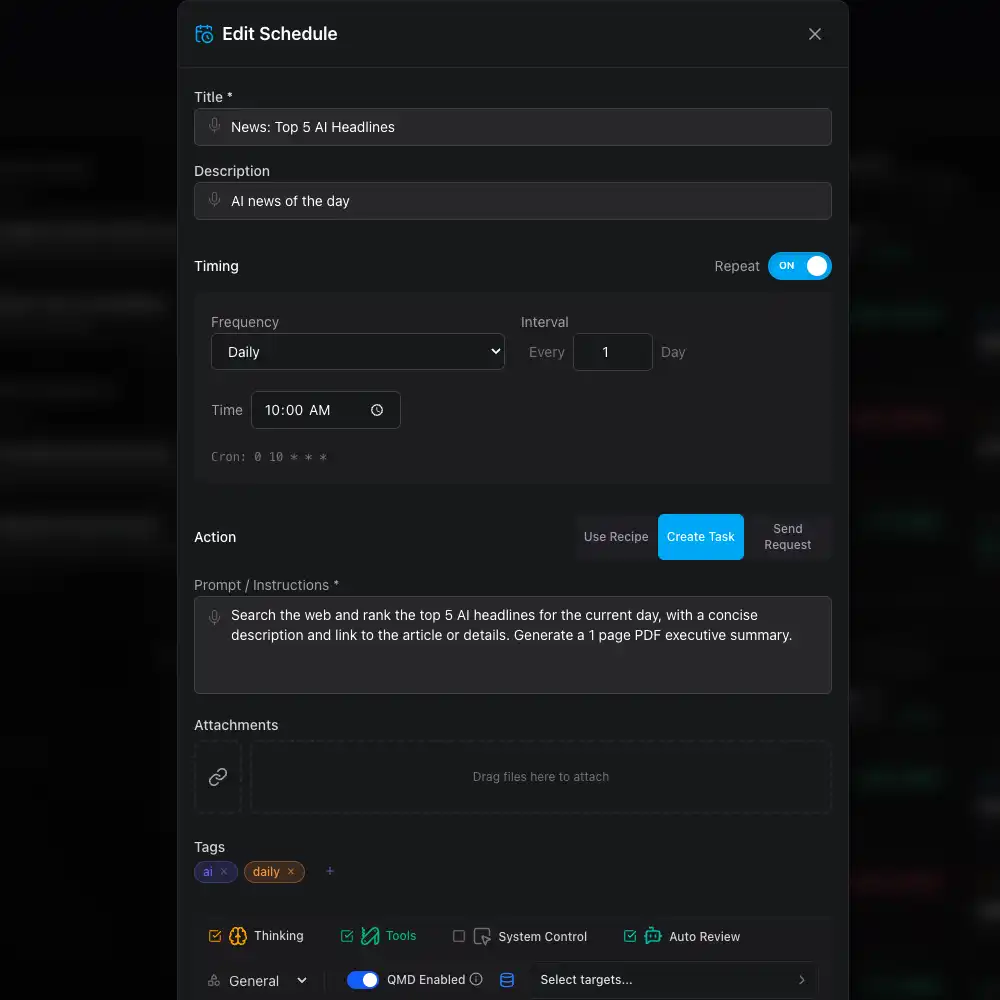 News: Top 5 Al HeadlinesReal C5 deliverable →
Behind each one, C5 turns your request into a spec, staffs specialists, runs them in parallel and reworks any step that misses — see how multi-agent orchestration works.
Sources, checking and a record of the work
Every result is reviewed against your brief before it reaches you. What does not hold up goes back to be redone, and nothing half-finished is passed off as done.
- Reference lists — PDF deliverables can carry a reference list in APA style.
- Links kept with each item — material gathered from the web keeps its headline, summary and link, and an image fetched from the web is captioned with the site it came from.
- A readable record — the plan, each step, what each agent did and what came back stay open to you. Tool decisions are logged in Ops › Audit, beside audit entries that are tamper-evident.
- Signed deliverables — each deliverable is signed when it is produced, recording the workspace it came from, and the Library's Validate checks it has not been changed. Verification is done by your own C5; there is no public key for third parties yet.
Check every source before you cite it. C5's review checks the work against your brief, not against the literature, and a model can still get a fact wrong.
C5 is the wrong fit if your workflow depends on a connector to a specific literature database: none is documented, so agents work from what you attach and what web search returns.
Memory that remembers your project
A later task should find what an earlier one found without you pointing at the file. C5 keeps an index of the notes, memories and documents its agents produce so it can. It is an AI agent that works with your local data, not a chat window that forgets.
- Keyword and semantic search — find a document by its words, or by what it means when it uses different words. Semantic search uses models C5 downloads once and runs on your machine.
- Projects — keep every task, file and note for one study together in the Library, and search inside the files, not just their names.
- Your earlier AI work — C5 can index the ChatGPT Codex and Google Antigravity sessions already on your computer, and Claude sessions when the Claude app is installed on the same computer, without uploading them.
Unpublished and sensitive data
Unpublished data and participant records come with rules about where they may go. C5 is a local AI agent: its database, files and history are stored encrypted on your computer. Run a local model through Ollama, LM Studio or llama.cpp and the data stays on your machine while it is processed; with a cloud model, the prompt and material a task sends go to that provider under your own account.
- Offline — with local models and the one-time downloads in place, C5 needs the internet only for an occasional licence renewal, or not at all with an air-gapped licence. See an offline AI agent.
- Checks on what goes out — before an agent's tool call runs, C5 looks for credentials and personal details such as email addresses and phone numbers, and redacts them by default. It checks what agents send, in recognisable formats; it is not a guarantee.
- Mix models by task — a local model for the sensitive material, a cloud model for public sources.
C5 makes no claim about any ethics board's or data office's rules. Check what your protocol allows before you choose a model.
A digest of your field that runs itself
Write the brief once and make it a schedule: weekly, monthly or on a date. Each run lands on the board as its own task and its result in the Library, and follow-up recipes can run on what it produced. See how to schedule an AI agent to run every week.
Frequently asked questions
Does the AI agent cite its sources?
Yes, when you ask for them. PDF deliverables can carry an APA-style reference list, and material gathered from the web keeps its links. How well a claim is sourced still depends on the model and your brief, so ask for citations explicitly and check each one before you rely on it.
Can I use an AI agent with IRB-approved or sensitive data?
It depends on what your protocol allows; C5 makes no compliance claim. With a local model, the data stays on your machine, stored encrypted and processed by a model you run. With a cloud model, the text sent for a task goes to that provider. Check the protocol before you choose a model.
Can it run a weekly digest of my field?
Yes. Make a schedule with Create Task or Use Recipe, write the brief once, and pick weekly. Each run becomes a task on the board and its result is filed in the Library. The computer has to be on; if it sleeps, the schedule catches up when it wakes.
Can I export the reports to PDF?
Yes. Long work comes back as publication-grade PDFs, typically a full report with a short summary, filed in the Library. Everything there can be downloaded, and a whole project can be downloaded at once as a zip.
Which AI models can I use for research?
Any of them: local models through Ollama, LM Studio or llama.cpp, or 14+ cloud providers on your own key, including Anthropic, OpenAI, Gemini, Bedrock and Mistral. Local models are usually less capable than the best paid ones and need a reasonably powerful computer.
In the docs
Research that stays on your machine, start to finish
Download C5, attach your notes and papers, and get back a checked report with its sources, with sensitive data processed by a model you run.