PRIVATE ALTERNATIVE
A private alternative to cloud AI agents
A private alternative to cloud AI agents runs your tasks, files and history on your own computer rather than on a vendor's servers. C5 by Growther.si runs the agents on your computer, keeps files and memory encrypted locally, and still lets you use cloud models on your own key. It also reads the Claude, Codex and Antigravity sessions already on your machine, so you do not start from zero.
- 14+ cloud providers, own key
- Works offline with a local model
- Reads Claude and Codex sessions
What changes when the agent is local
People search for a ChatGPT, Claude or Manus alternative for different reasons, but the question underneath is usually where their work lives. With cloud AI agents from the big model vendors, it lives on their servers. With C5 it lives on your computer.
| C5 | Typical cloud AI agent | |
|---|---|---|
| Where tasks run | Your computer | The vendor's servers |
| Where files, history and memory live | Your disk, encrypted at rest | The vendor's storage |
| Works offline | Yes, with a local model | No |
| Model choice | 14+ cloud providers, local runtimes, or both | The vendor's models |
| Spending limits | A hard cap you set, per period | Set by the vendor's plan |
| Getting your data out | Files are files; export any time | Whatever the vendor's export offers |
One line matters more than the table: pick a cloud model and the text for that task travels to that provider on your own key, and nothing else does. Run a local model and nothing has to leave the machine. That is what a private AI agent means here, and why C5 is first a local AI agent.

You don't lose your history
Switching usually means starting from zero. C5 reads the ChatGPT Codex and Google Antigravity sessions already on your computer, and Claude sessions when the Claude app is installed on the same computer, and makes them searchable memory, so months of earlier thinking is available from day one.
- Per tool — you turn it on for each tool separately.
- Kept current — it refreshes daily.
- Nothing uploaded — the import runs on your machine.
How to bring your Claude, Codex and Antigravity sessions into C5.
Keep the models you like
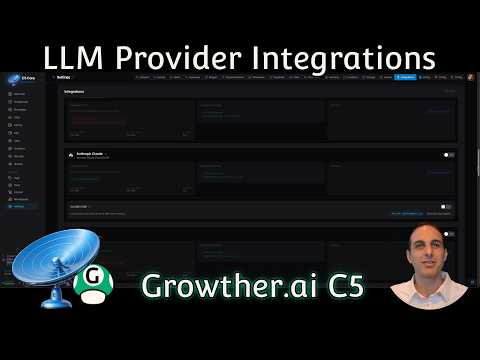
Leaving a cloud agent does not mean leaving its models. Add your own key for Anthropic, OpenAI, Gemini, Bedrock, Mistral or another of the 14+ supported providers, and the agent stays on your computer while only the text for each task goes to the model.
- Keys stay with you — stored encrypted on your computer and only ever sent to the provider they belong to.
- Several at once — cheap models for easy work, strong ones for hard work, and a backup if a provider goes down.
- Local when it matters — Ollama, LM Studio or llama.cpp for the work that should never leave the machine.
When a cloud agent is still the right call
A local agent is not the answer to everything. A cloud agent is likely the better fit when:
- You cannot install software — C5 runs on macOS, Windows or Linux that you install it on. A locked-down work laptop or a borrowed device rules it out.
- Your computer cannot stay on — C5 runs on your machine, so a schedule waits while it sleeps. A cloud agent keeps going with your laptop closed.
- You want someone else to run it all — with C5, the machine, its backups and its disk encryption are yours to look after.
- Your hardware is modest and you will not use a cloud key — local models are usually less capable than the best paid ones and need a reasonably powerful computer.
Many people end up with both: C5 on their own computer, calling a cloud model for heavy lifting and a local one for private work. If you already run a self-hosted gateway, see C5 as an OpenClaw alternative or companion.
Frequently asked questions
Can I still use GPT or Claude models?
Yes. Add your own key for OpenAI or Anthropic, or another of the 14+ supported providers. The agent, its files and its memory stay on your computer; only the text sent for a task goes to that provider, on your own account.
Is a local AI agent as capable as a cloud one?
It depends on the model. With the same cloud model, the model doing the thinking is the same; what C5 adds around it is the work structure: a spec, a team of specialists, checks and rework before anything is handed over. With a local model, capability depends on the model and your hardware.
What happens to my existing chats?
They come with you. C5 reads the ChatGPT Codex and Google Antigravity sessions already on your computer, and Claude sessions when the Claude app is installed on the same computer, and makes them searchable memory. You turn it on per tool, it refreshes daily, and nothing is uploaded to do it.
How does the cost compare with a subscription?
It is a different shape. C5 needs a licence, with plans on the Pricing tab. Cloud model providers bill you directly, on your own account, for what you use, and local models add no per-use cost. A hard budget cap stops spending at the amount you set.
Does it work without internet?
Yes, with a local model. C5 is offline-first: agents keep working and schedules keep running, and it needs the internet only for things such as installing, updating, licence renewal and cloud models.
In the docs
The same models, on a computer that is yours
Download C5, add your own key, and bring the sessions you already have. The agent, its files and its memory stay on your machine from the first task.