AI AGENT FOR SMALL BUSINESS
An AI agent team for your small business
An AI agent for small business takes on the recurring work an owner has no staff for, and finishes it rather than drafting it. C5 by Growther.si puts 200+ specialist agents on your own computer and runs that work on a schedule, stopping at a budget cap you set. Your files and customer records stay encrypted on your machine.
- 46-page sales strategy sample
- 92-hour run on a desktop Mac
- Hard budget cap per period

Jobs it takes off your plate
When there is nobody to hand a job to, it piles up. C5 takes that work: you describe the outcome once, and it writes the spec, staffs the right specialists, checks their work and hands back a finished document.
- Sales plans — the Q4 sales strategy sample came back as a 46-page strategy guide with a 9-page summary.
- Launch plans — the B2B SaaS beta sample is an 18-page multi-role launch plan with a 3-page executive summary.
- Bigger one-off projects — the international expansion sample, a restructuring plan, ran for 92 hours on a desktop Mac with a local model.
- Routine research — a digest of what changed in your market, gathered and filtered on a schedule.
- A report on what the work cost — built-in ROI trackers report completed tasks, deliverables, success rates and spending every week, month, quarter and year.
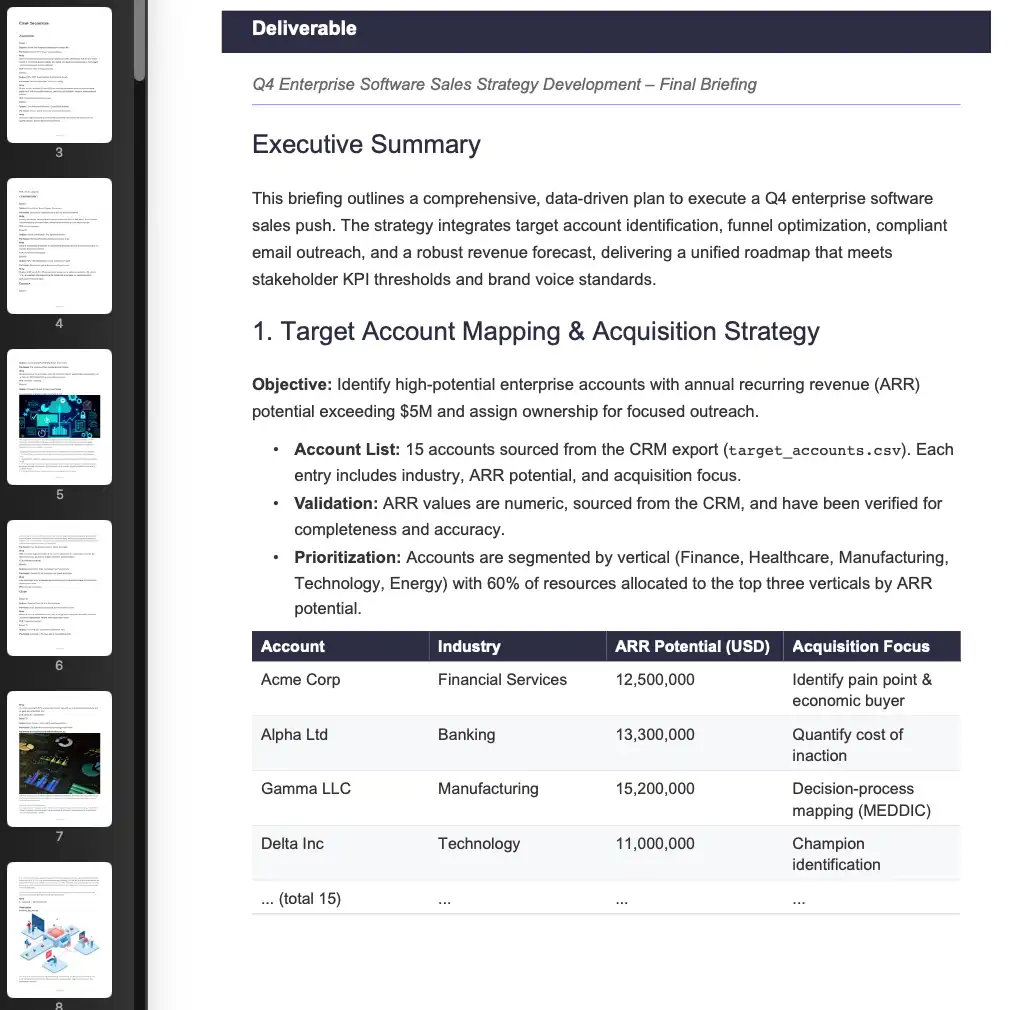 Q4 Enterprise Sales Strategy Development
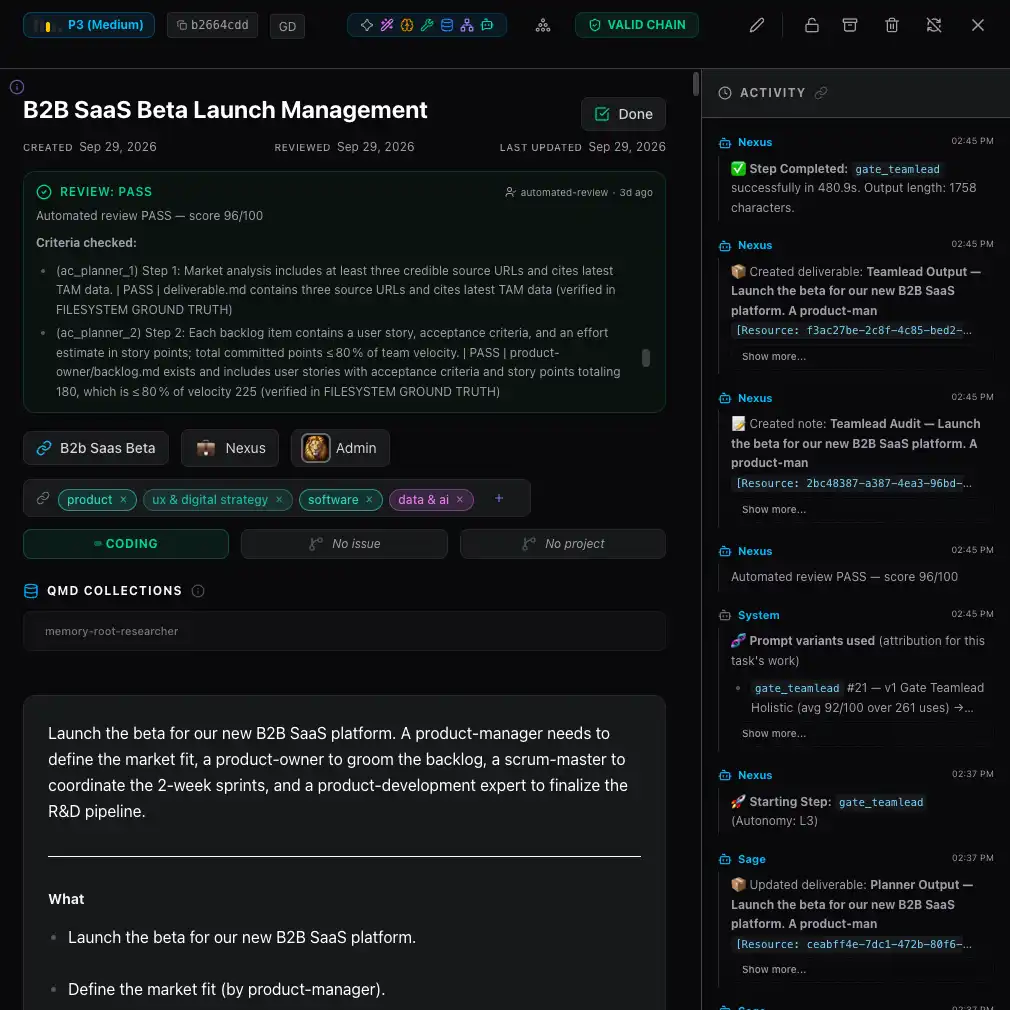 B2B SaaS Beta Launch Management
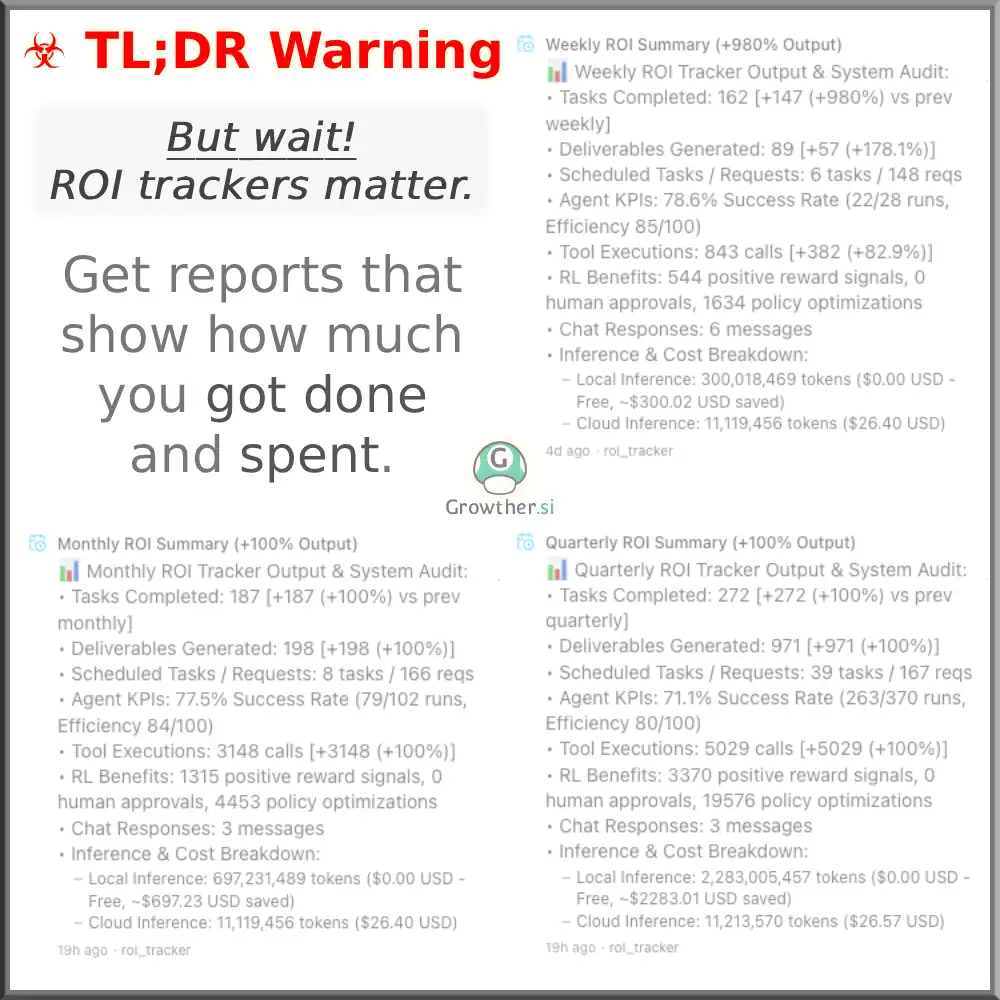 ROI Trackers
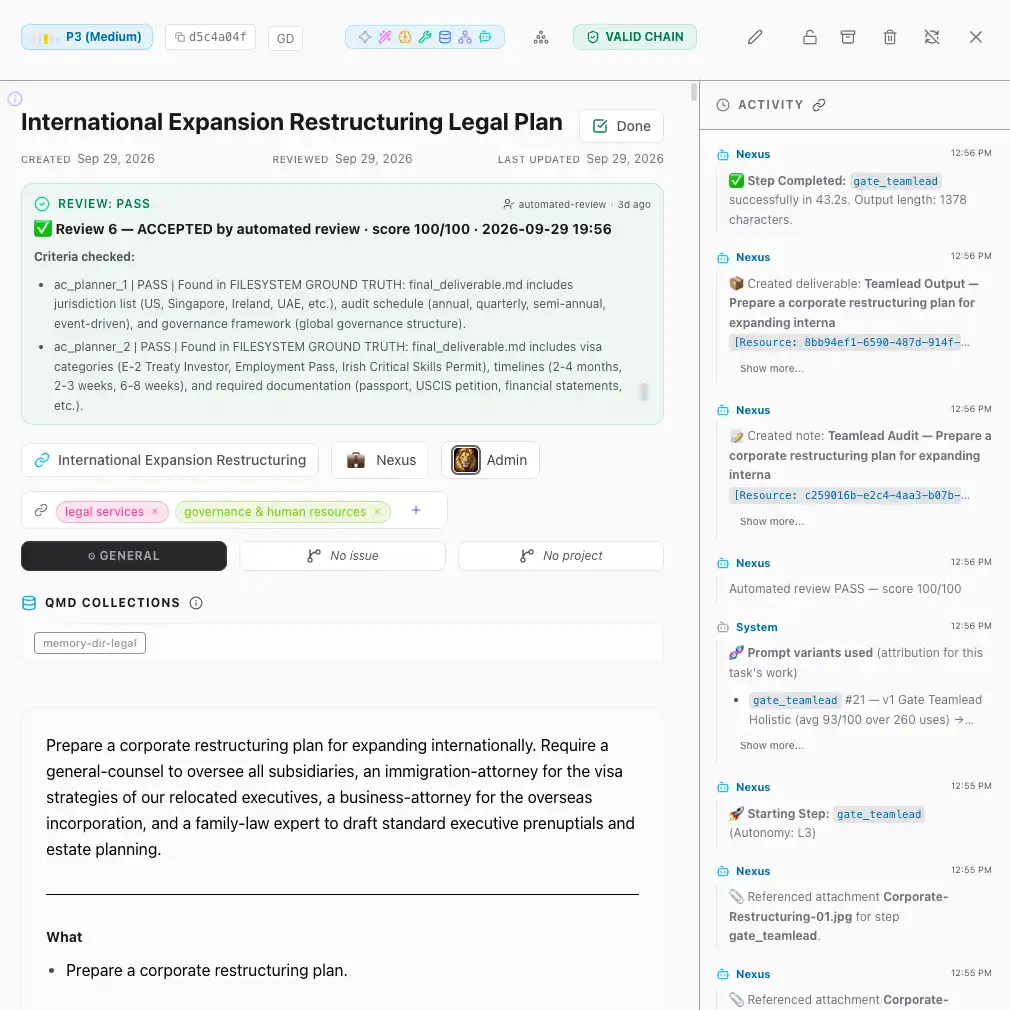 International Expansion Restructuring Legal Plan
Set it up once, and it runs on schedule
Recurring work becomes a schedule: a one-off on a date, or a job that repeats daily, weekly, monthly or yearly. Each run becomes a task on the board like any other, so you can see where it is and what it produced. See how to schedule an AI agent to run every week.
- Open SchedulesGo to Schedules in C5 and click New Schedule.
- Choose what it doesPick Create Task to have the team do the work, Use Recipe to follow a recipe C5 has already proven, or Send Request for a single answer delivered as a notification.
- Write the requestDescribe what you want done the same way you would in Chat: the outcome, the files to use and what to avoid.
- Pick when it runs and saveChoose the date or the repeat, then save. C5 takes it from there.
C5 is the wrong fit if you need work to run while the laptop is closed: it runs on your own machine, so the computer has to be on. If it is asleep when a job is due, the schedule waits and catches up when it wakes.
Spending you can predict
A runaway task should never cost more than you meant to spend. Set an amount and a period under Settings › Budget, and choose whether reaching the hard cap notifies you or blocks new work. As spending gets close, C5 warns you; at the limit, it pauses new work and nothing is lost.

- See where money went — Ops breaks spending down by day, task and model, down to the task that caused it.
- Cheap where it can be — use a smaller model for simple work and a stronger one for hard work.
- No per-use cost where it can be — a local model adds nothing per use.
More on how to cap what your AI agents spend.
Your customers' data stays on your computer
Your customer records are the last thing you want on an agent vendor's servers. C5 is a local AI agent: its database, files, task history and API keys are stored encrypted in a folder on your computer, and Growther.si does not see your work.
The one exception is a cloud model: whatever a task sends to it is received by that provider, billed to your own account. Use a local model and nothing has to leave the machine — see what a private AI agent means.
- Checks before anything goes out — before an agent's tool call runs, C5 looks for credentials and personal details such as email addresses and card numbers, and redacts them by default.
- Protect the laptop too — C5's key sits on the same drive as its data, so turn on full-disk encryption (FileVault, BitLocker or LUKS) in case the machine is lost.
Get help setting it up
You do not have to set it up alone. Growther.si personalizes the installation and integration for your business, builds your business context into C5's memory, and offers training for you and your staff. Use Get in touch on this site and pick Onboarding & training; plans are on the Pricing tab.
Frequently asked questions
How much does an AI agent for a small business cost?
It depends on the plan and the models you use. C5 needs a licence, and its plans are listed on the Pricing tab. A cloud model is billed by its provider on your own account; a local model adds no per-use cost. A hard budget cap stops spending at the amount you set.
Do I need technical skills to use an AI agent?
No. You ask for work in plain words, and the app runs in your browser. Being comfortable with a terminal helps for installing and updating. If you would rather not do that part, Growther.si offers onboarding and training: use Get in touch and pick Onboarding & training.
Can it write proposals in my voice?
Yes, if you give it something to go on. Attach a few past proposals and say what the tone should be: attachments are analyzed and become context for the agents' work, and C5 helps turn a rough request into a full spec before it starts. Read the result before it goes to a client.
What if the AI agent gets something wrong?
It is sent back to be redone before you see it. Work is checked against the spec, and a step that misses is reworked. You set how much it does alone: big calls wait for you, and with Auto Review off a task waits for your sign-off. Stop halts a task at once, though anything already done stays done.
Does the AI agent keep working while I'm busy?
Yes. Schedules and queued tasks run on their own while the computer C5 is installed on is on, and C5 tells you when something needs a decision or a deliverable is ready. You can also check in from your phone with Remote Control.
In the docs
Hand the recurring work to a team on your own computer
Download C5, set the first schedule and a budget cap, and the reports and proposals you had no staff for start arriving finished.