LOCAL LLM AGENT
Turn your local LLM into a team of agents
A local LLM agent puts a model running on your own hardware to work on multi-step tasks, not just chat. C5 by Growther.si connects to Ollama, LM Studio and llama.cpp and gives that model a job: a spec, a team of specialists, a check on the result. It routes each task to the best-fit model by skill, speed and cost, mixing local and cloud models only where you allow it.
- Ollama, LM Studio, llama.cpp
- No per-use cost on local models
- Fallback to your next model
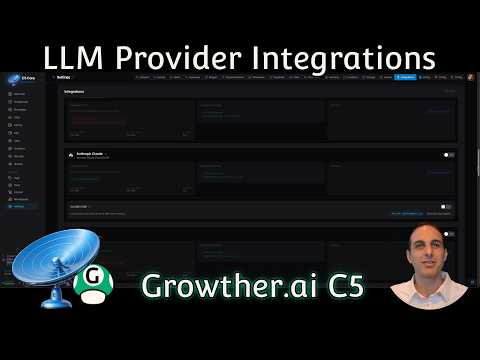
From a chat window to finished work
A runtime such as Ollama gives you a model and a prompt box. C5 gives that model a job. Describe the outcome in plain words and C5 writes the spec, staffs specialists from its 200+ agents across 17 divisions, runs them in parallel, checks the result and reworks what misses — all orchestrated on your machine.
- Deliverables, not replies — reports, plans and publication-grade PDFs, filed in the Library.
- Schedules — standing orders that run daily, weekly or monthly on the model you choose.
- Memory — agents search everything earlier tasks wrote, so the local model starts with context.
- Tools — integrations and MCP servers, behind permissions and guardrails you set.
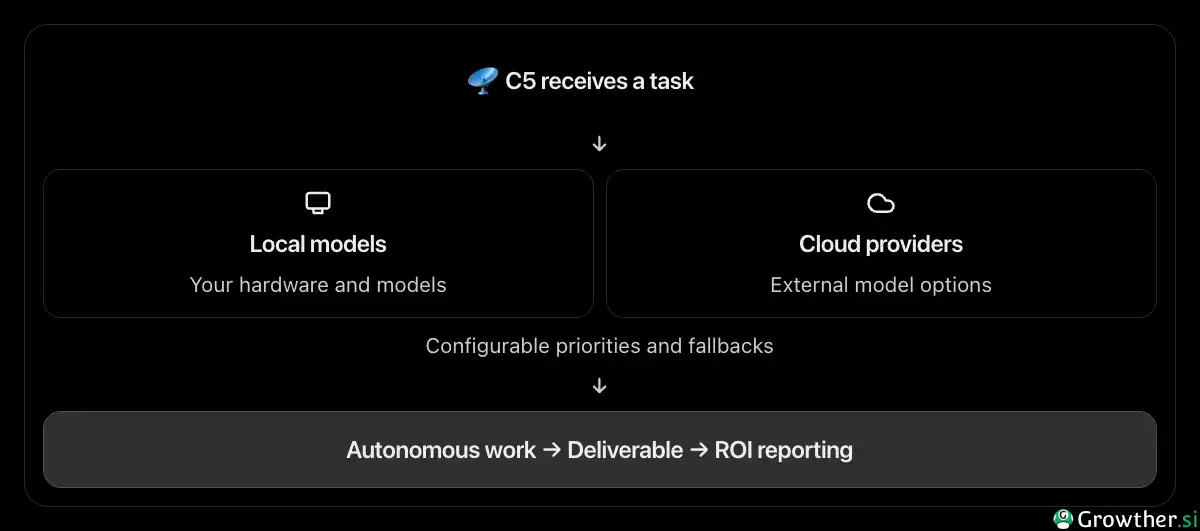 Don't rely on 1 model, 1 provider, or 1 fixed configuration for every job
Local runtimes C5 works with
| Runtime | What it is | How C5 uses it |
|---|---|---|
| Ollama | A local model server | Any model you serve, as a provider |
| LM Studio | A desktop app that serves local models | Any model you load, as a provider |
| llama.cpp | A lightweight inference server | Any model you serve, as a provider |
| Hugging Face Inferencer | Local or hosted inference | As a provider, local or cloud |
| OpenClaw, PicoClaw, Hermes Agent | Local agent gateways | As a provider that hands work to its own agent |
Coming from a gateway? The OpenClaw alternative page compares the two approaches.
Connect a local LLM to C5
- Start your runtimeStart Ollama, LM Studio or a llama.cpp server and load the model you want to use.
- Add it in IntegrationsIn C5, open Settings, then the Integrations tab, choose the local option and point C5 at the address where your model is running.
- Let C5 check itC5 tests the connection and lists the models it finds.
- Set the orderUnder Coordinator Priority, choose which models C5 tries first for chats, tasks and background work.
Mix local and cloud models
You do not have to choose one model for everything. A common setup is a local model for routine and private work and a stronger cloud model, on your own key, for the hardest parts.
| Kind of work | A good fit |
|---|---|
| Sorting, labeling, simple formatting | A small, fast model |
| Everyday writing and summarizing | A mid-range model |
| Hard reasoning, tricky analysis, planning | Your strongest model |
| Bulk repetitive work | A local model, if you can |
- Fallbacks. If a provider is down, C5 moves to the next model in your order rather than stopping, and a model that keeps failing is tried last until it recovers.
- 14+ cloud providers — Anthropic, OpenAI, Gemini, Bedrock, Mistral and more — sit alongside your local runtimes.
- Where the text goes. On a local model, a task's text stays on your machine; route a task to a cloud model and that provider receives what the task sends it. See what a private AI agent means.
What to expect from a local LLM
- No cost per use. Once it is set up, a local model costs nothing beyond your hardware.
- Works offline. With a local model, agents keep executing and schedules keep running — see the offline AI agent page.
- Usually less capable than the best paid models, which is why mixing them is worth it.
- Hardware matters. C5 itself is light; a local model's speed depends on your machine.
A local-only setup is the wrong fit if every task needs your strongest reasoning and no cloud model is allowed: small models do the routine work well, not the hardest.
Running your model on your own hardware is the last layer of a fully local AI agent: the app, its data and its memory are already on your computer.
Frequently asked questions
Which local LLMs work with C5?
Any model you can serve through Ollama, LM Studio or llama.cpp, plus Hugging Face Inferencer and local agent gateways such as OpenClaw, PicoClaw and Hermes Agent. C5 lists the models it finds when you connect the runtime.
Is a local LLM good enough for agent work?
It depends on the work. For routine and repetitive tasks, often yes. Local models are usually less capable than the best paid ones, so many people route hard reasoning and planning to a cloud model and keep everything else local.
Do I need a GPU to run a local LLM agent?
No, not for C5 itself. A GPU or Apple silicon makes local models faster, and smaller models run on ordinary laptops. If your machine is modest, use a cloud model for heavy tasks and a local one for private ones.
Can I use Ollama and a cloud model together?
Yes. Connect both, set the order under Coordinator Priority, and C5 routes each task to the best-fit model you have allowed. If one provider is down, it falls back to the next.
Does anything leave my machine with a local LLM?
Nothing about the task. C5 itself still makes a few connections of its own — licence renewal, update checks and one-time model downloads — and an administrator can stop all of them with the Offline egress posture.
In the docs
Give your local model a real job
The model you already run can write the spec, staff the specialists and check the result, all on your machine. Download C5 and connect your runtime.