IMPORT AI HISTORY
Bring your Claude, Codex and Antigravity history with you
Importing your Claude and Codex history means bringing sessions you ran in other AI tools into a new agent's memory, so earlier work still counts. C5 reads the Claude, ChatGPT Codex and Google Antigravity sessions already on your own computer, turns them into clean documents and indexes them into local memory. You turn it on per tool, it refreshes daily, and nothing is uploaded.
- Claude, Codex and Antigravity
- Refreshes every 24 hours
- No uploads, no sign-ins used
What C5 imports, exactly
Your earlier sessions with these tools already sit in folders on this computer. The importer reads the session history the three tools keep there; nothing is fetched from their servers to do it.
| Tool | What C5 reads on your machine | Where the documents go |
|---|---|---|
| Claude (with the Claude app installed on this computer) | The session data the Claude app keeps on this computer | ~/.growther/imports/claude/ |
| ChatGPT Codex | Its local session threads and logs | ~/.growther/imports/codex/ |
| Google Antigravity | Its local step logs and transcripts | ~/.growther/imports/antigravity/ |
It reads only what is on this computer: for Claude, that means the Claude app is installed on the same machine as C5. This is the wrong tool if your history lives only on chatgpt.com, in a ChatGPT export file or on another computer: the importer reads local session data and nothing else.
How the import works
- C5 finds it for you. During setup, when one of these tools has session data on the machine, C5 offers to bring it in and says how many sessions it found.
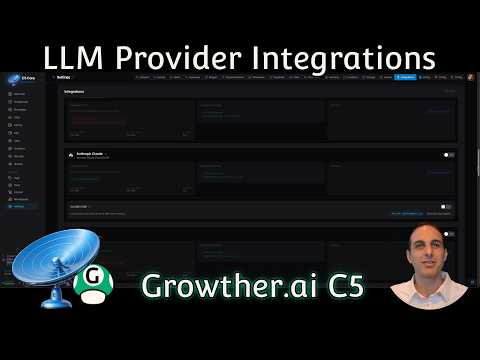
- On per tool. Each tool has its own switch in Settings › Integrations, on the Anthropic, OpenAI and Gemini provider cards. Turn on one, two or all three.
- Clean documents. Each session is turned into a Markdown document in C5's imports folder, readable without C5.
- Indexed for search. The documents join C5's memory search, so agents can find what you worked out months ago without you pointing at the file.
- Refreshed daily. A background job picks up new sessions every 24 hours. Turn a tool off and the daily refresh stops and its documents leave the search index.
Importing never makes model requests with those tools' sign-ins. It reads, converts and indexes; that is all.
Why bring your history
Months of prompts, decisions and fixes sit in those sessions. Imported, they become context C5's agents can draw on, so you explain less and the first tasks start from what you already know.
- Search by meaning. Semantic search finds a session about “customer churn” when you ask about “why people cancel”, once its one-time model download is done; keyword search works straight away.
- Give a task your history. Add “Use QMD” to a request and the task works from your memory-search knowledge base.
- Keep it on your machine. The import and the index stay on your own computer, alongside the rest of a local AI agent's data.
If you are moving off a hosted agent altogether, see a private alternative to cloud AI agents. The import itself sends nothing anywhere; a later task that uses a cloud model does send that provider its text, and what a private AI agent means sets out exactly what.
Questions to ask your old sessions
Once the import is on, earlier work is something you can ask about in plain words, in Chat or as part of a task.
- What did I decide about the database migration, and why?
- Which fixes did I try for the login bug before the one that worked?
- Summarize everything I worked on for this client last quarter.
- Draft a handover note from my last ten sessions on this project.
Frequently asked questions
Can C5 import my ChatGPT history?
Only Codex. C5 imports the ChatGPT Codex sessions on your computer; it does not import chats from chatgpt.com or a ChatGPT data export. For Claude, it reads the session data the Claude app keeps on this computer, so the app needs to be installed on the same machine as C5.
Is anything uploaded when C5 imports my sessions?
No. C5 reads the session files already on your machine, writes Markdown documents into its own folder and indexes them in its local memory search. It does not use those tools' sign-ins to make model requests.
How do I turn the import on or off?
In Settings › Integrations, on the Anthropic, OpenAI and Gemini provider cards; each tool has its own switch. During setup C5 also offers it when it finds session data. Turning one off stops its daily refresh and removes its documents from the search index.
Does the import pick up new sessions automatically?
Yes. A background job refreshes each tool you turned on every 24 hours, so sessions you run after the first import are picked up the next day.
Can I search my old sessions by meaning, not just keywords?
Yes. Keyword search works as soon as C5 starts. Semantic search needs a one-time download of about 2.26 GB of search models, which C5 fetches in the background; after that, a question can find sessions that use different words for the same idea.
In the docs
Start with the history you already have
Download C5 for macOS, Windows or Linux, switch on the tools whose sessions sit on this computer, and ask about last quarter's work on day one.